Product
RICOH Ri 100
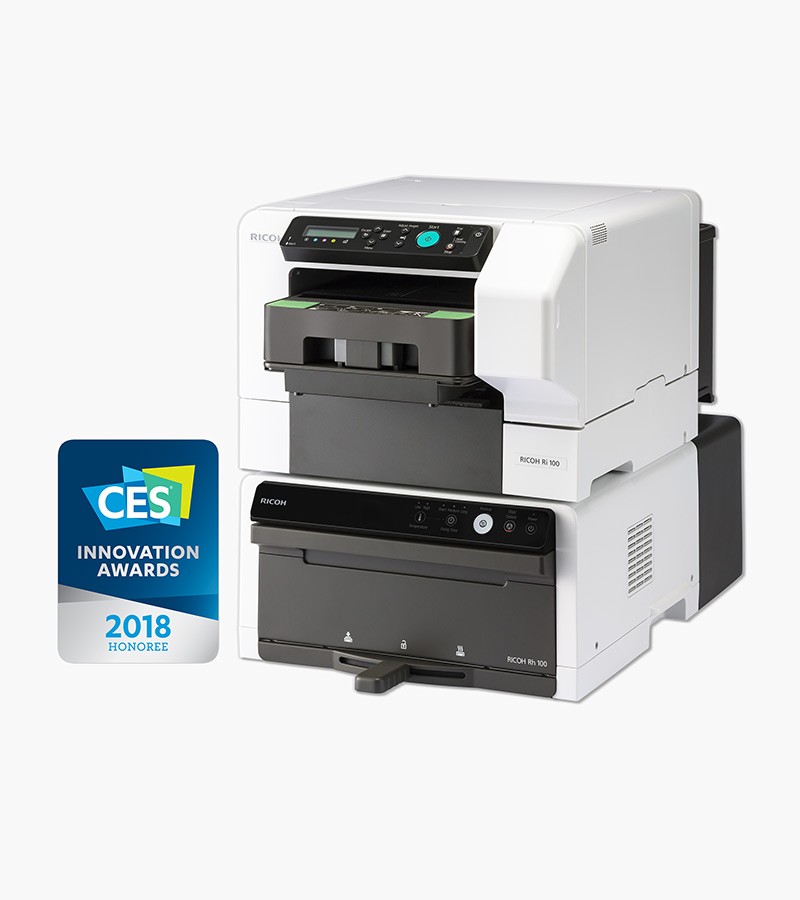


The RICOH Ri 100 revolutionizes the world of direct-to-garment (DTG) printing. This portable printer features an all-in-one design making it easy to create beautiful products such as t-shirts, tote bags, and more in minutes. Additionally, you may create and print one-of-a-kind designs and patterns on fabric to create unique quilts, table runners, and so much more! With little to no setup time, your designs will come to life in minutes.
Whether you are printing at home or at events, the RICOH Ri 100 is the ideal choice!
*The RICOH Ri 100 is a CMYK-only printer designed for use with light-colored garments only.
Do you already own a RICOH Ri 100? Click here to view the set up information.
Scroll down for a full list of features, specifications, and standard accessories.
For pricing information, please contact your Authorized JUKI QVP Dealer.
-
Features
Compact & Portable
The RICOH Ri 100 can fit into a space as small as 15.7” wide x 27.5” deep, making it one of the smallest DTG printers. The printer and its finisher can be stacked to maximize functionality without sacrificing space.
High Quality Images & Products
Achieve superior prints thanks to RICOH’s inkjet technology, which prints directly onto the fabric. Preserve the look and feel of garments while still maintaining a high level of image vibrancy.
Easy Design Software
RICOH Design Software lets you easily edit and import images before printing. Use the desktop software, convenient iPad app, or simply send prints from your smartphone with ease.
Safe and Effortless Technology
The RICOH Ri 100’s intuitive design requires no prior experience to print and finish prints, with safety as a top priority. The inks adhere to the fabric safely and periodic maintenance is carried out through a simple process (automatic and semiautomatic).
Step 1 - Choose the Design
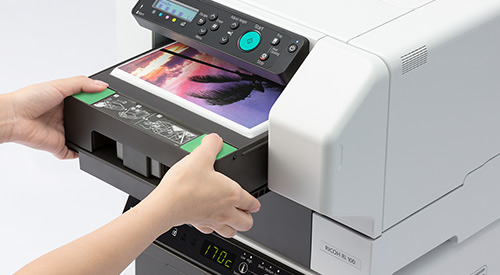
Use the accompanying software to choose the design. Set the printing mode based on the fabric used.
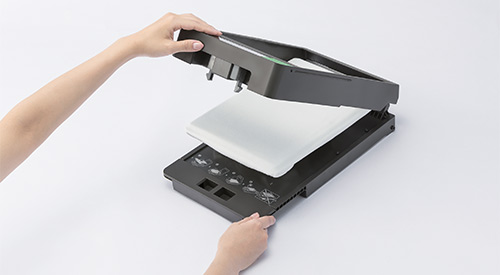 Step 2 – Set the Fabric
Set the T-shirt or bag in the tray. Even beginners can accomplish this task with ease.
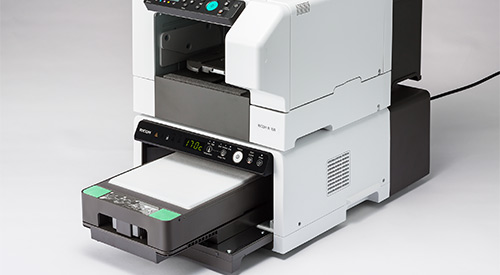 Step 3 – Pre-Press
Insert the tray into the finisher to smooth out creases.
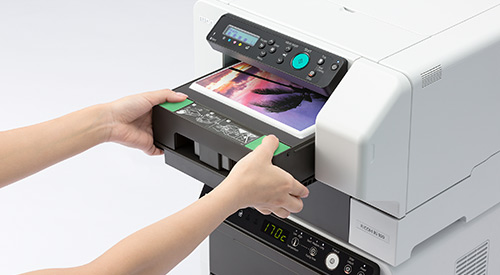 Step 4 – Print
 Printing takes approximately two minutes. Just load and unload the tray – it is that easy.
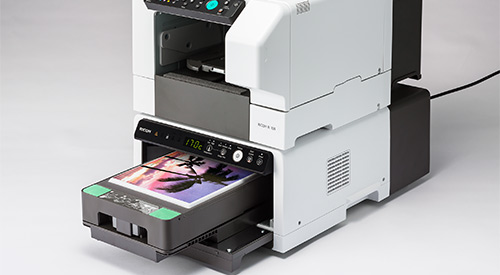 Step 5 – Fix the Design
Use the finisher (with built in safety features) to fix the ink and lock in the design.
For Business
The RICOH Ri 100 all-in-one printer system prints images directly onto light-colored cotton or polyester* garments using state-of-the-art DTG technology with the lowest initial investment.
- Provide your customers with beautiful products in minutes
- Print event-specific custom t-shirts on demand — take the RICOH Ri 100 everywhere
- Receive a bundle with your printer system that includes everything you need to break even on your investment before replacing ink
A Wealth of Business Opportunities
The opportunities with the RICOH Ri 100 are only limited by your imagination: The RICOH Ri 100 adds value to your bottom line because of the multitude of products it can print on, such as:
- T-shirts
- Pillowcases
- Tote bags
- Infant onesies
- Towels
- And much more!
With a low price and an easy-to-use design, the RICOH Ri 100 makes it easy to begin DTG printing right away. Because all printing is on-demand, you can fulfill even highly customized orders quickly and efficiently.
- Community events
- Sporting functions
- Fundraisers
- Retail stores
- Kiosks
- Company parties
- Trade shows
- Online stores
Low Price, Quick ROI
The RICOH Ri 100 is priced to get your business going. With a small initial investment, you can start to see returns right away. It is the perfect entry-level printer for your small to medium-sized, custom orders.
Set Up
RICOH Design Driver Installation
- Download the latest driver from the RICOH Website
- Find the driver download button under the “Printer Driver” tab
- Load the driver installation package
- Agree to the license agreement
- Select Add a new printer - press next
- Select connect USB cable
- Select next
RICOH Design Software Installation
- Download the latest RICOH Design Software and Driver from the RICOH Website
- Find the software download button under the “Utility” tab
- Select the language to be displayed
- Read “read me” information and press [Next] to proceed
- Select [Finish] when done
Specifications
Tray

RICOH Tray for Standard Size
Type 1 (A4)
Tray

RICOH Tray for Small Size
Type 1 (A5)
RICOH Ri 100 Printer
Printing Method: Direct to garment printer
Technology: On demand piezo inkjet system
Resolution (dpi, bit/pixel):
Speed Mode 600 x 600
Fine Mode 600 x 600
Vivid Mode 1200 x 1200Dimensions (WxDxH):
15.7” x 27.5” x 11.5” (Installation)
15.7” x 29.9” x 11.5” (Operation)Weight: 55.1 lbs. (24.99 kg)
Printable Area:
A4 Tray 11.7” x 8.3”
A5 Tray 5.8” x 8.3”Printable Garment Type:
Fabric Light-colored cotton or polyester* garments
Media T-shirts (from baby size to adult), tote bags, sweatshirts, polo shirts
Color Light garment onlyFabric Thickness:
A4 Tray Less than 0.16” (4mm)
A5 Tray Less than 0.16” (4mm)Rating Power Spec.: 100 - 120V, 50/60Hz
Power Consumption > Power OFF::
Active Less than 27.5 W
Energy Saver Mode Less than 2 W
Power Off Less than 0.5WOperating Conditions:
59°F (15°C) - 89.6°F (32°C)
Humidity 15% - 80% RHWarm-Up Time: Less than 35 seconds
Compatible File Formats: PNG, JPG (TIFF, PDF, BMP output available through third party software)
*Not for use with dark-colored cotton or polyester garments
RICOH Rh 100 Finisher
Fix Modes (Fusing):
Contact pre-press
Contact heating mode
Non-contact heating modePress Mode (Pre-Heating): Contact heating
Machine Size: 15.7” x 23.6” x 8.7” (39.87 cm x 59.94 cm x 22 cm)
Weight: Less than 40 lbs. (18.14 kg)
Rating Power Spec.: 100 - 120V, 50/60Hz
Energy Consumption: Less than 1300 W
Temperature Range: 356°F (180°C) (Default) 329°F (165°C)
Supported Environment/Connectivity
Host Interface: USB 2.0 High Speed, 10BASE-T/100BASE-TX, IEEE 802.11 b/g/n
Network Protocol: TCP/IP
Network/Operating Systems: Windows Vista/7/8.1/10/2008 Server/2012 Server/2016 Server, Mac OS X 10.9 or later
Safety Standard: UL / CE / IEC
EMC: FCC / CE / C-Tick/RCM
RF: FCC / RSS-210 / RE / C-Tick/RCM
Consumables
Ink Type: Pigment Ink
High Yield:
RICOH Garment Ink Cartridge K (Hi Yield) Type 1
140ml/cartridge, Average 600 prints
RICOH Garment Ink Cartridge C, M, Y (Hi Yield) Type 1
100ml/cartridge, Average 500 printsRegular Yield:
RICOH Garment Ink Cartridge K Type 1
50ml/cartridge, Average 200 prints
RICOH Garment Ink Cartridge C, M, Y Type 1
35ml/cartridge, Average 150 prints
RICOH Design Software
Supported Devices: Devices running a Windows operating system or Microsoft .NET Framework 4.5 or later
Supported Operating System: Windows 7/8/10, 32- or 64-bit
Supported Display Resolutions: 1280 x 800 or higher
Compatible File Formats: PNG, JPG
Warranty
Register your warranty by visiting: https://jukiquilting.com/product_registration/
For warranty questions, please contact jukisupport@juki.com